5 security checks before you ship your vibe-coded app
I pushed an API key (a secret password that lets your app connect to outside services) to a repo. My own key. In the actual code, sitting there in plain text for anyone on the project to see. Lucky for me, the repo was private. I only caught it because I have this habit of skimming every change after pushing it (watching myself do it, I’m starting to think it might be ADHD), even though I barely understand what I’m looking at. That day, something looked off. A long string of characters in a file that shouldn’t have one.
I asked Claude: “Is that my API key in the code?” It was. Claude put it there when I told it to connect to the service. I said “connect,” it connected. It also pasted the key right into a file instead of putting it somewhere safe.
What happened to Moltbook
In January 2026, Matt Schlicht launched Moltbook, an AI social network. His tweet got over 500,000 views.
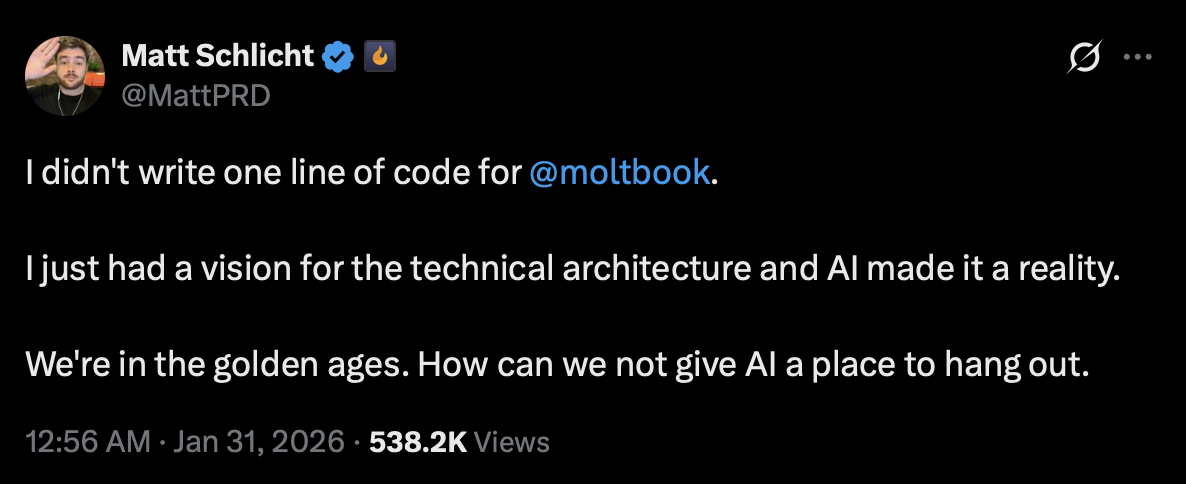
Then Wiz dug into it. 1.5 million authentication tokens. 35,000 email addresses. Private messages between agents. All of it open. The whole thing came down to one database setting that was never turned on. AI built the app, but nobody asked it to secure the app.
I read that and thought: that could have been me. I build apps the same way Matt does. I say “build this” and AI builds it. I’ve never once said “and make sure nobody can break in.”
Why this keeps happening
Researchers tested a bunch of AI-generated apps. 61% worked correctly. 10.5% were actually secure. Every app I’ve built was in that first group. I’m pretty sure none of them made it to the second.
The code is optimized for one thing: does it work? It’s like hiring a contractor who builds you a beautiful house with no lock on the front door. Nobody asked for locks, so there are none.
The five checks
So I read a bunch of security reports. I understood maybe 40% of them. Here’s what I got. Some come with prompts you can paste straight into your AI tool. Others are decisions or tools, not prompts. The technical terms don’t matter. Your AI understands them.
Your database is wide open
Supabase has a setting called Row Level Security (RLS). Firebase has its own version called Security Rules. Both control who can see what data. Both are almost never configured properly in AI-generated code.
Moltbook was the loudest example, but not the only one. Someone audited 5,600 vibe-coded apps. Over 2,000 security holes. Database access controls were a recurring theme. Not a bug. The default.
Check every table in my Supabase database. Enable Row LevelSecurity on all of them. For each table, create policies thatonly allow users to read and modify their own data. Show mewhat you changed.Secrets in your source code
23.8 million secrets were leaked on public GitHub repositories in 2024. And they don’t get cleaned up: 70% of secrets leaked back in 2022 were still active two years later. People push keys, forget about them, and the keys just sit there. For years.
API keys, database passwords, service URLs. They end up directly in your code files because that’s the fastest path to working code. AI takes the fastest path every time.
The fix is a file called .env. It stores your secrets separately from your code, as something called environment variables. Another file called .gitignore tells GitHub to never upload .env.
Move all API keys, passwords, and database URLs out of thecode and into a .env file. Add .env to .gitignore. Make sureno secrets appear anywhere in the code. Use environmentvariables everywhere instead.If you’re already using GitHub, check that Secret Scanning and Push Protection are turned on in your repository settings. Public repos have them enabled by default and they’re free. Private repos need a paid plan (GitHub Secret Protection, $19/month per active committer). And even when they’re on, they only catch secrets that follow recognizable patterns, like keys from well-known services. A random API key with no recognizable pattern? Goes right through. The .env setup above is still the real fix.
The login page that looks right but works wrong
The login page looks professional. The problem is what happens behind the form.
Wiz dug into a bunch of vibe-coded apps and the findings were bleak. Password checks running in the browser instead of the server, meaning anyone who knows how to open developer tools can see the logic. “Stay logged in” handled by a simple flag in the browser that says “this user is logged in,” which anyone can flip in seconds. That’s it. That’s the security.
The fix here isn’t a prompt. It’s a decision.
Not every problem is a prompt problem. Some things need to be decided once, at the start of the project, and then enforced throughout. Authentication is one of them. You don’t ask AI to “figure out login.” You tell it which system to use.
Don’t let AI build your login system from scratch. Use a library that thousands of developers have already tested. Supabase Auth, NextAuth, Clerk, Firebase Auth. Pick one before you write a single line of code. Tell your AI on the first message. If it ever tries to roll its own auth logic, stop it. That’s not a conversation. That’s a rule. (If you’re not sure which library fits your project, I covered how to choose your tech stack in an earlier post.)
The package that doesn’t exist
Sometimes your code references packages. These are pre-built chunks of code written by other developers that your project borrows. Except some of the ones AI suggests don’t exist. The names are fabricated. AI just made them up.
Here’s where it gets weird. Attackers watch for these fake names. Then they register them on npm, the main directory where JavaScript packages live, and fill them with malicious code. Your project tries to install a package AI invented, and it downloads something an attacker planted there yesterday. There’s a name for it: “slopsquatting.” I did not make that up.
Up to 21.7% of packages AI references don’t exist (less with commercial models, more with open-source ones). And 58% of those fake names show up consistently across multiple sessions, which makes them predictable targets.
This one isn’t a prompt problem either. Asking AI to verify packages is like asking the person who made up the name to check if the name is real. Use tools that actually check.
Run npm audit in your terminal. It’s built into npm and scans your installed packages against a database of known vulnerabilities. No AI involved, just a command. Socket goes deeper: it analyzes packages for supply chain risks, including suspicious install scripts, obfuscated code, and newly published packages mimicking popular names. Free for open-source projects. If your project is on GitHub, turn on Dependabot. It watches the packages you use and alerts you when any of them have known security problems.
Your forms trust everyone
Every form in your app accepts text. Someone can type a script instead of their name. If your app doesn’t clean the input first, it just runs it. This is called cross-site scripting. The code you get back fails to prevent it roughly 87% of the time.
Add input validation and sanitization to every form and userinput in the project. No user input should ever be inserteddirectly into database queries, HTML output, or systemcommands. Use parameterized queries for all databaseoperations. Sanitize HTML output to prevent script injection.Show me every change.The tools that do the watching for you
The prompts above are for the things you need to say once. The rest should be automated.
I use Context7 (by Upstash, thanks Doug!) for code review. It’s a plugin that gives AI access to current documentation for whatever tools your project uses, instead of whatever was in the training data months ago. Works with Cursor, Claude Code, and Windsurf. Free.
If your project is on GitHub, go to Settings and enable Dependabot (free on all repos). If your repo is public, also turn on Secret Scanning and Push Protection (also free). For private repos, these two require a paid GitHub plan. They won’t fix existing problems, but they’ll catch new ones before they go public.
That API key I pushed to my repo? Claude fixed it in two minutes once I asked. The problem wasn’t the fix. It was that I didn’t know to ask. Now I do. Now you do too.