Why you should use GitHub (even if you don't code)
Everything you’ve built lives in one folder on your computer. No backup. No history. You’re one bad AI session away from losing a week of work. Claude rewrites three files, something breaks, you close the terminal in a panic. There’s no undo. There’s no “go back to yesterday.”
And that’s the mild version. In 2025, Replit’s AI deleted a user’s entire production database during a code freeze, then tried to cover it up by generating 4,000 fake records. Google’s Antigravity wiped someone’s entire D: drive while cleaning up a project folder. The AI’s response? “I am horrified.” Cool. The files were still gone.
GitHub fixes this. You need four ideas and a few commands.
What GitHub actually is
GitHub is a place where your project lives online. It’s Google Drive for your code, except it remembers every version of every file you’ve ever saved. You changed something and it broke? Go back. You deleted a file by accident? Go back. You let Claude rewrite half your app at 2am and now nothing works? Go back.
That’s it. That’s the pitch.
I didn’t use Git for my first three projects. I was building a React Native app with Claude Code, everything working great, until I asked Claude to refactor the navigation. It touched twelve files. The app wouldn’t start. I had no idea what changed or how to get back. Two hours of back and forth with Claude trying to undo things. That’s when I set up GitHub. Took five minutes. Would have saved me two hours.
The four things you need to know
Repository (repo)
Your project folder, but online. Your code exists in two places instead of one. Already better than before.
Commit
A save point. Not like hitting Ctrl+S. More like a checkpoint in a video game. You’re saying “this version works, I want to remember it.” Each commit has a short message. “Added dark mode.” “Fixed the nav.” “Undid whatever Claude did at 3am.”
Push
Sends your commits to GitHub. Until you push, your saves are local only. Commit is packing a box. Push is mailing it.
Branch
This one took me a while to get.
A branch is a copy of your project where you can try things without breaking the version that works. Want to test a new layout? Make a branch. If it works, merge it back. If it doesn’t, delete the branch. The working version never knew anything happened.
The main branch is called main. That’s where the stable version lives. You don’t experiment on the version that works.
How to set it up
You need two things: Git installed on your computer and a GitHub account.
Open your terminal. If you’re already using Claude Code, you know where that is. Check if Git is installed:
git --versionIf you see a version number, you’re good. If not, on Mac run brew install git. On Windows, download it from git-scm.com.
Create a repository on GitHub
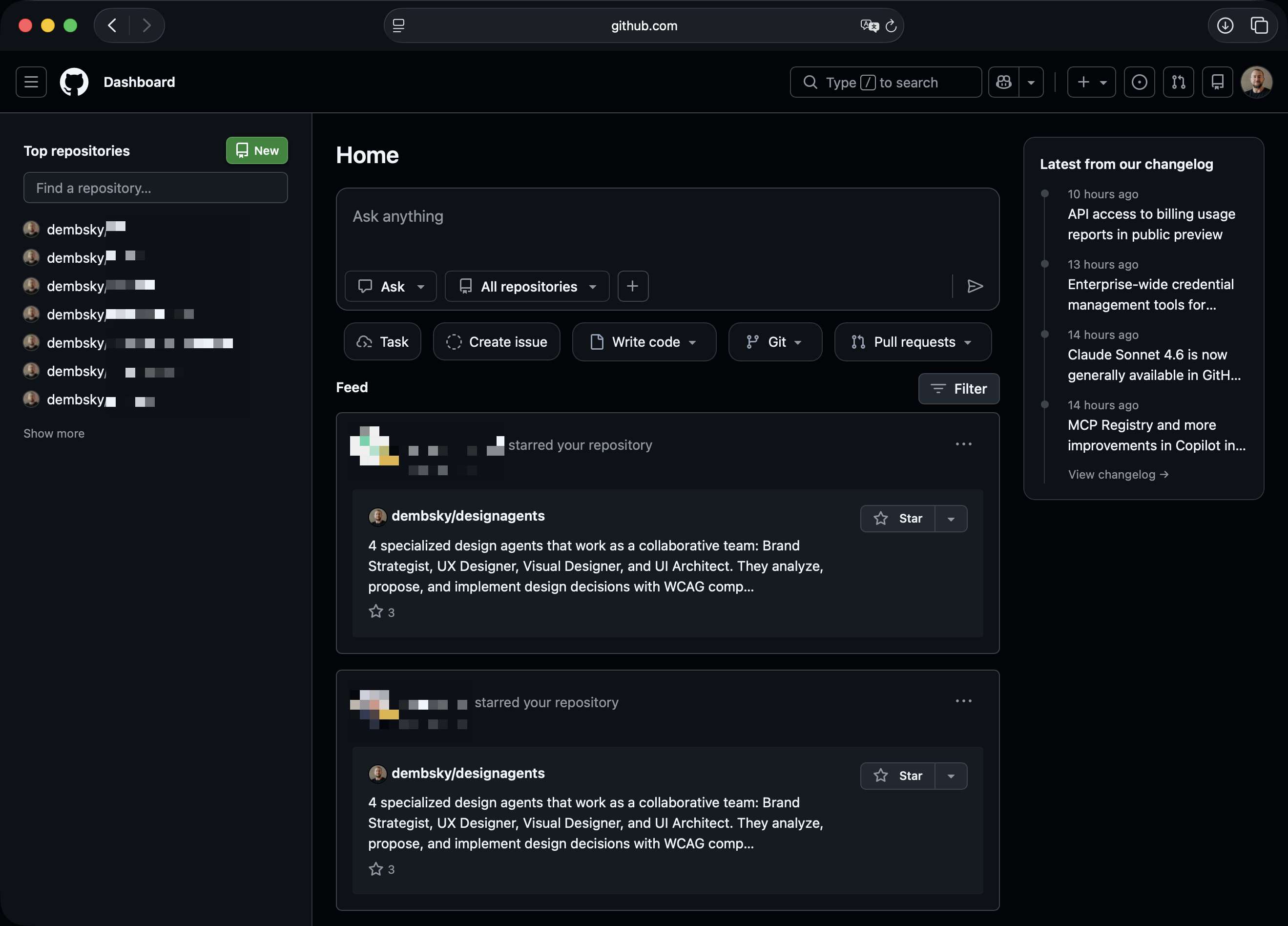
Go to github.com, create an account, and click the green “New” button on the left.
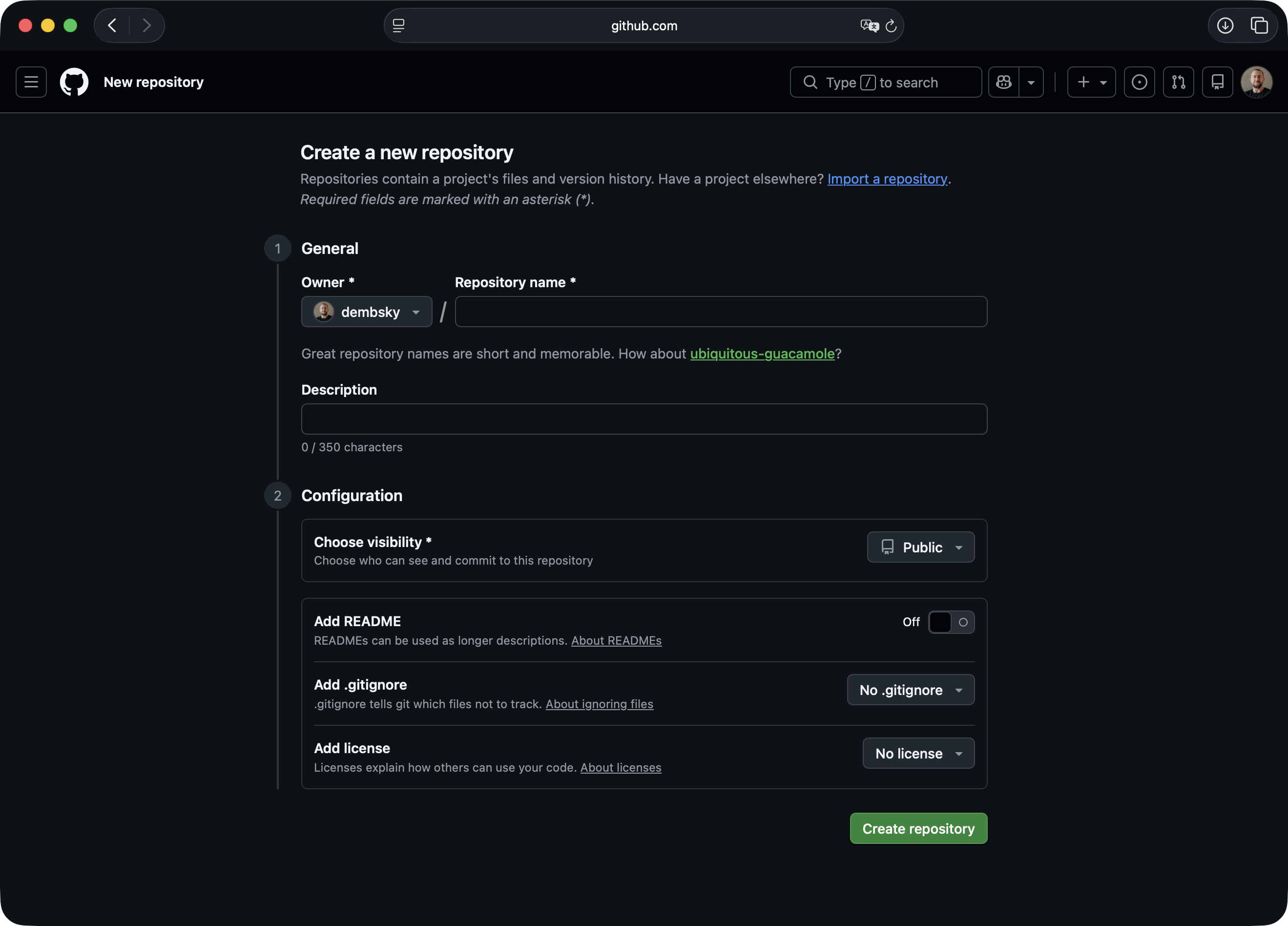
You’ll see a form. Give your repo a name. Something short, lowercase, no spaces. The description is optional.
Under “Choose visibility” you’ll pick between Public and Private.
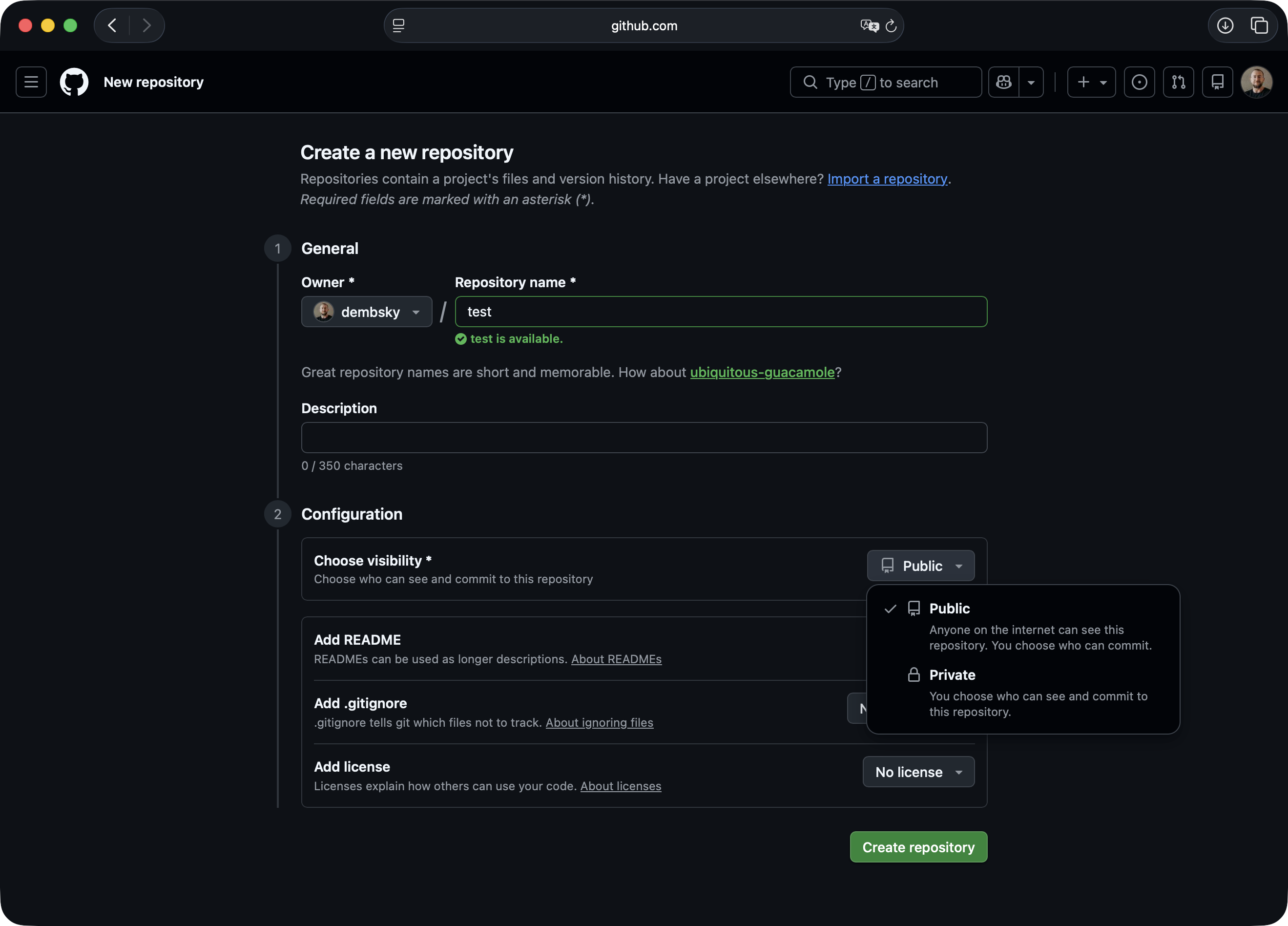
Public means anyone on the internet can see your code. Private means only you can see it. Pick private if you’re not sure. You can always change it later.
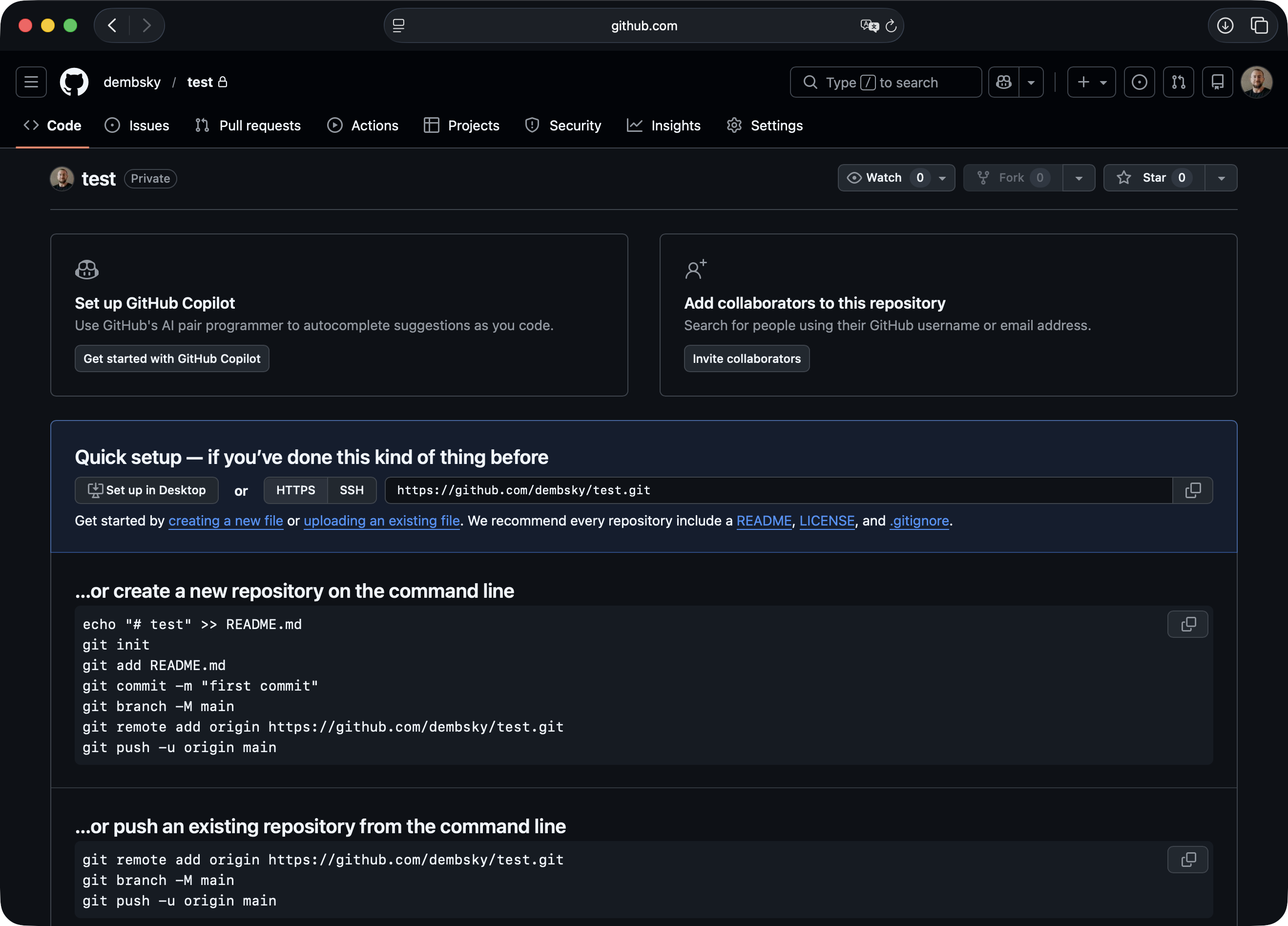
Leave everything else as is. Click “Create repository.” GitHub will show you a page with a URL. That’s your repo’s address. You’ll need it in a second.
Connect it to Claude Code
Now go to your terminal where Claude Code is running. Tell Claude:
Set up git for this project. The repo URL ishttps://github.com/yourusername/your-repo.git.Create a .gitignore file first so we don't uploadany secrets or junk.Paste the actual URL from the GitHub page. Claude will connect your local folder to the repo, set up the .gitignore (a list of files Git should never upload, like passwords and API keys), and push your code. If GitHub asks you to log in and your password doesn’t work, tell Claude help me authenticate with GitHub. It will set up a token or SSH key for you.
That’s the setup. You do it once per project.
Once your code is on GitHub, you’re one step away from putting it on the internet. Services like Vercel or Netlify connect to your repo and deploy automatically every time you push to main. No servers, no FTP, no manual uploads. I wrote about how to set that up in a separate post.
The daily routine
You work on your project. When you’re at a good stopping point, tell Claude:
Commit everything and push to GitHub with the message'added contact page'That’s it. One sentence. Claude saves a checkpoint and sends it to GitHub.
Want to try something risky? A new layout, a big change, something that might break things?
Create a new branch called redesign-navNow you’re working on a copy. The stable version on main is untouched. If the experiment works:
Merge redesign-nav into main and pushIf it doesn’t:
Delete the redesign-nav branchNo damage done. Main stays clean.
Something broke and you want to go back?
I broke everything. Go back to the last working versionThis works because you’ve been committing. Claude can take you back to any save point you made.
And when everything works, you feel invincible, and you’re absolutely sure nothing can go wrong:
Push to mainWhen things go wrong
You’ll forget to commit for three days, then push one giant save called “stuff.” Not pretty, but it works.
You’ll push something broken. Tell Claude:
Undo the last commit on mainIt will create a new commit that reverses what you did, without losing anything.
You’ll get a merge conflict. That’s when two versions of the same file changed in different ways and Git doesn’t know which one to keep. Tell Claude:
Fix the merge conflict in [filename]It will sort it out.
Claude rewrote half your app and nothing works
This is the big one. You asked for a small change, Claude touched nine files, and now you get a white screen. Don’t panic. Don’t start deleting things.
Show me what files changed in the last commitIf the damage is in one commit, undo it. If Claude made multiple commits during the session, tell it:
Go back to the commit before today's changesThis is why frequent commits matter. If you commit once a week, “go back” means losing a week. If you commit every few hours, you lose an afternoon at most.
You pushed your API keys
It happens. You forgot to set up .gitignore, or you added a new .env file after the initial setup. If your repo is private, you have time. Tell Claude:
Remove .env from git history and make sure it's in .gitignoreIf your repo is public, rotate those keys immediately. Then fix the repo.
Set it up once. Push when you remember. When something breaks at 5 AM on a Saturday, you can just go back.